
Human resource management system software facilitates the management of employees, attendance, payroll and leave from a single software platform. You don’t need to deal with spreadsheets, paper files or WhatsApp messages; you work in one system that you can trust. In this guide, you will learn everything you need to know about HRMS software, what its features are, the price of HRMS software, and how to choose it.
HRM System Software: What is it?
Human resource management system software (also known as HR management software or HRMS software) is a digital solution that assists in the daily management of human resources. It keeps information about employees, monitors attendance, processes salary, manages leave and takes care of performance.
In other words, it is a single secure system in place of scattered files. Thus, HR managers save time, and owners get clarity on the numbers.
Businesses require software because of the following reasons:
Manual HR feels manageable when you have 10 employees. But when the team reaches fifty or one hundred, it quickly becomes a mess.
Here are some common problems that occur without an HRM system:
- Attendance sheets go missing, or someone edits the attendance incorrectly.
- It takes days to calculate salary, and mistakes creep in.
- Employee leave requests become an everyday battle.
- Employee records sit in different folders and in the hands of different employees.
Also, mistakes are expensive. An incorrect overtime number can result in conflict, or even legal action. For instance, the U.S. Department of Labor’s Wage and Hour Division demonstrates the importance it attaches to wage rules, and Pakistani employers have similar obligations under Pakistani labour law.
Fortunately, an HR system can solve this problem by keeping all records accurate and easily accessible.
When searching for HRMS software, there are essential features that you should consider.
Not all tools are appropriate for all companies. However, these features are important to the majority of businesses.
Centralized Employee Information in HRMS Software.
Good employee management software maintains all the information related to a person, such as CNIC, contract, joining date and documents, in one profile. Then you can access any record in just a few seconds. Access rights also enable you to control who can see the information.
Satisfactory attendance and leave tracking.
Employee attendance management software should integrate with biometric devices, mobile apps or web check-ins. Shift scheduling and overtime tracking are most crucial for factories and marts.
Leave is similar to attendance: online application, 1-click approval by managers, and automatic update of balances.
Payroll Processing in Human Resource Management System Software.
Payroll management software converts attendance into salary. First, it reads the hours worked. Then it calculates allowances, deductions and advances, and applies tax. Last but not least, it automatically generates payslips.
Pakistani businesses will also need to look for local requirements, such as income tax deductions, EOBI and provincial social security contributions.
Make sure that you are hiring the right people and continue to monitor their performance.
A lot of systems have job opening, candidate and interview stages. Later, you can set goals and record reviews. The system keeps all the information in one place, so promotions and raises rest on facts, not guesses.
Create HR Reports and Employee Self-Service.
The system reports headcount, absenteeism, overtime and turnover. In the meantime, staff can use a self-service portal to download payslips and apply for leave. That alone reduces many routine queries to HR!
Many business companies have increasingly adopted HRM system software to enhance their operations.
The advantages become apparent fairly soon:
- Less manual effort: Payroll that used to take 3 days now takes a few hours.
- Fewer errors: Automated calculations minimise human error.
- Improved decisions: Live reports reveal where your people costs go.
- Trust and happier employees: Clear leave and salary records build trust.
- Better growth: It scales with hiring.
For example, a retail store chain can find out which branch has the highest number of late arrivals. Similarly, a factory can compare overtime between shifts. Both can act on the data in real time.
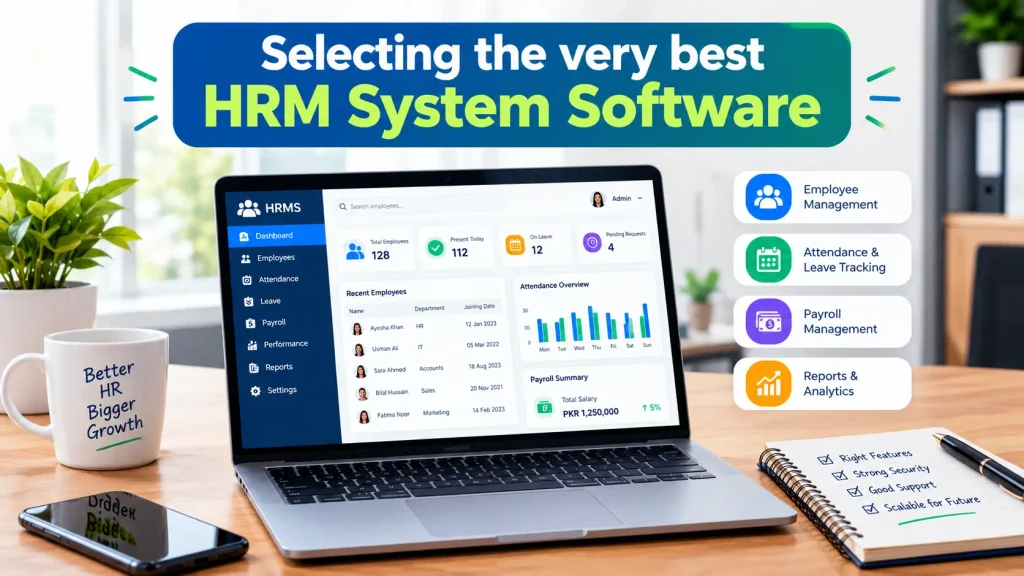
Selecting the very best HRM System Software
The right choice will save you the extra expense of switching later. Follow these steps.
Identify Business and HR needs
Identify your HR tasks and daily pain points. After that, count the number of your employees, branches and shifts. Once you’ve done that, set the priority of tasks: payroll as urgent, others as deferred.
Examine how easily features are used.
A powerful tool is of no use if your team cannot use it. So, request a demo and have HR staff try it out. If they are not doing well in the first hour, it will take a long time.
Check Security and Employee Data Privacy
Employee information is confidential. Thus, look for role-based access, frequent backups, encryption and audit logs. Also ask where the vendor stores your information and who can access it.
Compare and contrast integration, support and scalability.
First, see if the software integrates with your biometric devices, accounting software and email. Also make sure that there is local support in your language and time zone. Last but not least, be sure the system can expand to accommodate twice the number of people you have now.
What is the cost of HRMS Software?
Prices differ, so take the following table as a guideline and not a quotation.
| Type | Subscription Model | Best For |
|---|---|---|
| Ready-made cloud HRMS | Monthly fee per employee | Small businesses, startups |
| On demand (add-ons) | Monthly fee plus module charges | Growing companies |
| Custom-built HRMS | Development cost + support | Medium-sized or niche businesses |
But be aware of hidden charges. Setup, data migration, training and additional modules can all cost extra. While planning your software investment, it’s also a good idea to refer to the U.S. Small Business Administration’s tips for budgeting for expansion.
Ready-Made vs. Custom human resource management system software
Both paths work. Which one is right depends on your business model.
However, when Ready-Made HR Software Makes Sense
Ready-made HR software is a good fit when:
- You have a fairly normal HR process.
- You need a fast start.
- Your finances are limited.
- You have a small staff and straightforward payroll regulations.
Custom HRMS Software is better when:
- You run complex shifts or piece-rate pay, or operate multiple branches.
- No two HR policies are the same.
- You need to connect with existing ERP, POS or biometric systems.
- You want to have control over your data and future features.
Why Your Business Needs to Adopt Custom HRMS Development?
Off-the-shelf tools make you modify your process to fit the tool. In the case of custom development, it’s the other way around. The system acts according to your policies, your approval procedures and your payroll rules.
This is important in Pakistan, where local tax rules, flexible shifts and hybrid pay are common. This means custom HRMS software in Pakistan can manage all of that without cumbersome hacks.
TechXAgency creates and adapts HR software to suit the needs of companies of various sizes. Speak with the TechXAgency team for an easy discussion if you want to discuss your needs.
Concluding remarks about HRMS Software.
The proper human resource management system software will save a lot of time, minimize mistakes and give you clear control over your people’s information. But begin by determining your actual needs, try out a couple of options, and be honest with yourself about whether you will need a custom solution as you expand.
In the long run, a customized solution could be preferable if it better meets your specific processes.
FAQs
HRMS vs HRIS: What is the difference?
HRIS primarily deals with employee data and basic records. An HRMS, however, integrates HR, payroll, attendance, performance and workflow components. Many businesses today tend to use the two terms interchangeably.
Is HRMS Software an option for Small Businesses?
Yes. With many cloud tools charging per employee, it’s not a big deal to have one for a team of 10. What’s more, starting early will keep clear records throughout your growth.
Is it possible to have a HRMS Software that can handle payroll and attendance?
Yes. Indeed, that is one of its greatest benefits. Attendance, overtime and leave data flow instantly into payroll, eliminating the need to retype numbers.
Which is better, Cloud-Based or On-Premise HR Software?
Cloud-based software is simpler for the majority of businesses. You don’t need a server, it updates itself and it works on any device. However, on-premise software may be more appropriate for businesses with strict data rules or weak internet connections, but it will require higher maintenance costs.