What Does a Cloud-Based Business Management Platform Actually Mean
Take a look at a furniture shop that started its business from a small showroom, and now he took orders online. The owner notes down their sales stock in a notebook, in a spreadsheet, and customer orders in a separate file instantly. Throughout this, sometimes a customer gets charged twice; sometimes a chair that was sold out shows up in “available stock”, and no one can say what the real number available in stock is without hours of cross-checking. So the furniture shop needs a system for management, and this is a cloud-based business management platform.
If you find anything similar to that, it means that you run into the same problem; a cloud-based business management platform is the solution to it.
Basically, a cloud-based business management platform joins different pieces of a running business into a single system that is totally online, but it is not like a system that is only available on one office computer.
If your business genuinely needs this, or you just hear the trend and want to be clear about what is its actual means, here it is in simple language.

What an Online Business Management Platform Actually Is
A cloud-based business management platform is an online system that connects accounting, sales, customer relationship management, and human resources on one platform. You access it through a web browser. Your data is stored securely on the server, allowing you to access it at any time from anywhere. You don’t have to use single-computer software to access through same computer.
Some software is only accounting and inventory software with a modern interface. Not every seller provides guidance about cloud-based business management platforms to you, but it’s necessary to understand the capabilities of a platform so you find out whether it does more or less than its actual capabilities.
The word “cloud” means software and your data sitting on a server that the provider manages, instead of on a drive in your office. If we go back in years, this kind of software usually meant installing something on a single computer. If that computer crashes or the operator forgets the password, your records were totally gone with it and couldn’t be backed up.
Why Cloud Business Management Isn’t Automatically Integrated
This is the part that traps people: That software says nothing about whether the software actually doesn’t make trouble with your other tools.
You can end up with three to four separate cloud applications, like an accounting tool, a customer relationship management system, and an inventory system, that are actually every software are perfectly modern, but are totally isolated from each other. Some people are still exporting a spreadsheet and uploading it to another. That’s not totally different from the notebook problem; just the software looks a little better.
You can find out how useful it is when all pieces are connected to each other, because one cloud-based business management platform genuinely covers a lot of functions, and different tools are linked properly to each other. That’s worthily to check before you buy: don’t buy it just because this is “cloud-based,” but because the parts you need are available without someone manually moving them.
Key features of Check in a Cloud-Based Management Solution
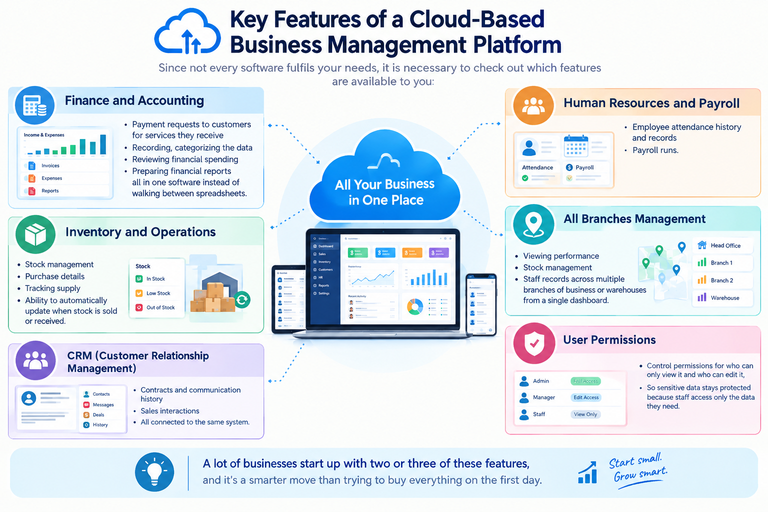
Since not every software fulfils your needs, it is necessary to check out which features are available to you:
Finance and accounting:
Payment requests to customers for services they receive, recording, categorizing the data, reviewing financial spending, and preparing financial reports all in one software instead of walking between spreadsheets.
CRM (customer relationship management):
Contracts and communication history, sales interactions, are all connected to the same system.
Human resources and payroll:
Employee attendance history and records, and payroll runs.
All branches management:
Viewing performance, stock management, and staff records across multiple branches of business or warehouses from a single dashboard.
User permissions:
Control permissions for who can only view it and who can edit it, so sensitive data stays protected because staff access only the data they need.
A lot of businesses start up with two or three of these features, and it’s a smarter move than trying to buy everything on the first day.

Pros and Cons of a Cloud-Based Business Management Platform
Not all people want to switch to cloud-based software. They don’t have any trust in online systems. They think the old ways from which we started earning are doing well, so why we switch to it? But the situation is totally different:
Advantages of Cloud Business Management Software
Business will be accessible from everywhere:
The business will be hosted online. So, you can check and manage all the things from any location; this matters when you have more than one person as a manager. It doesn’t matter that you’re at the shop, at home, or meeting with a supplier; you can access it and get up-to-date information.
Updated business weather data:
Sales inventory automatically updates itself; it doesn’t need any single person to update it.
Reduce manual data entry:
This removes the problem of entering the same data on multiple systems. When everything is connected in the system, data will be automatically filled in where needed without manual entry by the operator.
Improve reporting:
Getting management reports: this process takes minutes to process, not hours. Updated sheets mean you can look up every single cash flow and sale in one place without doing a lot of work.
Built-in backup:
The provider handles backup. So, check the policy and confirm that you can export your own data if you ever need to export it.
Disadvantages of Cloud Business Management Software
Internet dependency:
Most software needs a stable connection to function. If your team regularly works with an unstable connection, test this before committing to anything for anyone.
Subscription cost:
Some cloud software is cheap to set up, but subscriptions add up over time, especially as you add users and features.
Old data shifting difficulty:
Moving records from old systems is a difficult task; it needs a lot of effort, and it isn’t a quick process. Anyone who tells you it is a five-minute process is a fraud.

Cloud-Based Business Management Platform vs. Traditional Business Management Software
| Feature | Spreadsheets | Traditional Desktop Software | Cloud-Based Software |
|---|---|---|---|
| Remote access | Limited | Usually limited | Yes |
| Automatic updates | No | Usually no | Usually yes |
| Centralized data | Limited | Yes | Yes |
| Multi-location support | Difficult | Varies | Usually easier |
| Integrations | Limited | Varies | Usually strong |
| Maintenance | User-managed | User-managed | Provider-managed |
| Upfront cost | Low | High | Usually lower |
| Scalability | Manual | Difficult | Usually simple |
| Backup | Manual | User-managed | Provider-managed |
| Real-time collaboration | No | Limited | Yes |
This table helps you to find the answer to why so many businesses are switching to it. “Not because a cloud-based business management platform is trending nowadays, but because it solves problems that older software can’t handle.
Who Uses an Online Business Management System?
Types of systems are listed below. If any one of these feels like you, it’s helpful to pay attention to it:
Retail Shops
Manage suppliers, manage stock, and provide details about the products.
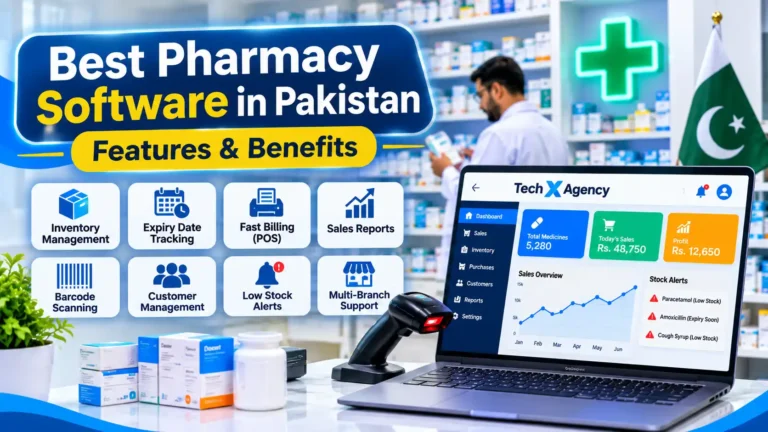
Pharmacies
Maintain stock, manage prescriptions, and ensure regular requirements.
Wholesale / Gala Businesses
Manage bulk orders, track shipments, and coordinate with multiple suppliers on incoming and outgoing items.
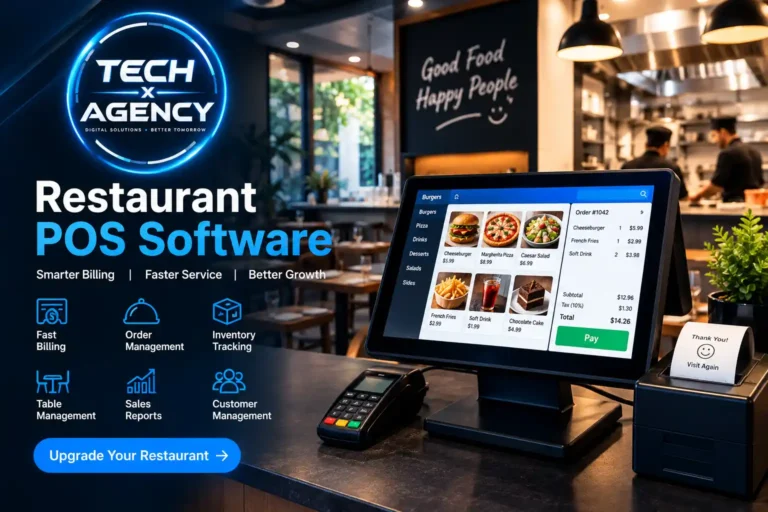
Restaurants
Manage multiple locations, track ingredient costs, process supplier orders, and monitor the daily sales performance.
Signs Your Business Needs a Cloud-Based Business Management Platform
Instead of guessing whether your business qualifies or not, it’s more useful to look for these listed symptoms:
You are entering the same information in more than one software again and again because there nothing any link between these software programs.
Most of the time, stock available in the system doesn’t match what’s on the shelf, in the warehouse, or in the truck
Someone from staff keeps a private spreadsheet because the main system doesn’t track worker needs.
Extracting a basic management report takes a lot of hours, not minutes.
You can’t look up the cash flow and sales in one place.
If a few of these feel familiar to you, this is a sign that your business actually needs it. It also shows up in very different situations: a small business that’s grown out of its old habits and a business gearing up to expand all tend to run into this same list sooner or later.
If none of it sounds like you right now, that’s a perfect reason to wait. Investing in something just because it’s trending isn’t a wise idea.
Choosing the Right Cloud Business Management Solution
Not all platforms are built to do the same work; picking lower cost always leads to worse things. Before selecting, it’s necessary to check these properly.
Does it fulfil your needs?
Some platforms are strong in management and weak in accuracy. Select the tool according to the needs of your business, not by reading features on the sales page.
Will your team be able to use it?
Check first if the software is as easy to operate as your operator is.
Can its cost grow with you?
Check whether adding users or features is costly or free.
How will your data be protected?
Ask about encryption, backup, and what happens in kind of big issues like data loss; also ask whether you can export everything.
Is a Cloud-Based Business Management Platform the Same as ERP?
You will run into the term ERP Enterprise Resource Planning) so it’s a right question whether it’s just another name for the same thing or this is a different thing.
ERP typically refers to comprehensive systems designed for major companies with complex operations spanning areas such as manufacturing, supply chain management, and finance. In contrast, “cloud-based business management platform” is a broad and informal term; many tools in this category focus on specific functions rather than implementing a full ERP system. While some major platforms in this category qualify as ERP systems, many do not fit this definition, nor did their designers ever intend them to function as ERPs.
The main difference is that if you have a small or medium-sized business and want a system with accounting and CRM, you don’t need a full-scale ERP system. You need a cloud-based business management platform that can meet your needs without high cost.
Final Thoughts
The real question is whether every business should switch to a cloud-based system. At least, many businesses shouldn’t do it at this time. If your current system is wasting your time or resulting in very low accuracy, replacing it would be a better choice.
If you are facing the problems of less accurate results and you spend hours getting a management report, it’s necessary to pay attention because you need it, not because the cloud is in trend nowadays.

FAQs
What is a cloud-based business management platform?
It is an online software that manages your business accounting, cash history, and stock management all in one. You can access it from anywhere, not only from a single office computer you want through a web browser.
Is a cloud-based business management platform only for large companies?
No, it’s not only for large businesses because small and mid-sized businesses get so much benefit from it. It can replace bundles of hard-copy data and spreadsheets with a fully organized system.
How much does a cloud-based business management platform cost?
It has monthly subscription fees, at start full setup cost, employee training, and extra user costs, so its worthful to talk about it with the provider before taking steps.
Is my data safe on a cloud-based business management platform?
Yes, it can be. That’s on you to choose a trustworthy provider. Most established providers offer security and backups, but it helps to ask questions about encryption, data ownership, and breach response. So don’t forget this.