
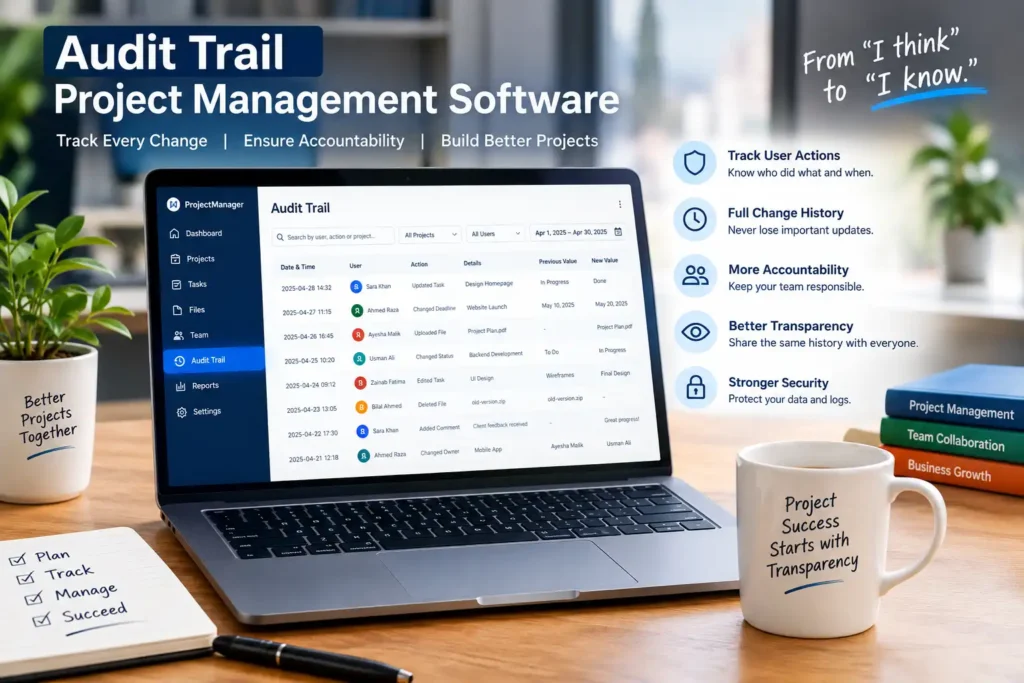
The audit trail project management software logs what people do, and when, within your projects! Of course, those who have ever asked, “Who changed this deadline?,” know the reason.
In simple terms, an audit trail is a documentation of what is happening in time. In fact, NIST says it is a history of events that helps reconstruct what happened. So, in project work, this means keeping the footprints people leave with every update.
After all, projects change constantly. Because of this, if there is no record, then it is difficult to pinpoint where the error has occurred and who is at fault.
What is Audit Trail Project Management Software?
Basically, it’s a project tool that comes with an audit log. For example, all task edits, file uploads and status changes get saved automatically.
The system then records each action, tags it with a username and timestamp, and keeps it so that no one can sneakily play with it. At the same time, the software comes with the audit trail, which documents what has happened, while the software organizes your work.
Why Tracking Every Change Matters
In fact, the root cause of the vast majority of project disputes is the lack of facts. Because of this, a good project management audit trail provides you with:
- Full change logs, so no changes are lost.
- Also, the owner of any action is accountable to the team.
- In addition, the transparency feature allows managers and clients to view the same history.
- Moreover, teams can detect errors and unauthorized changes easily.
- Finally, new team members can catch-up quickly.
How Does the Log Work?
Each log entry answers five simple questions:
- Who carried out the actions?
- What changed?
- When did it happen?
- What was the previous value?
- What number will the new value be?
For example, if Sara moves a deadline from 10 May to 20 May, the log will include Sara’s name, the time, and the two dates.
Key Features to Look For
Not all tools are equal. So, here are the tips you need to know:
| Feature | What it does |
|---|---|
| User activity tracking | Keeps a history of all user logins and activity. |
| Project change history | Displays changes over time |
| Task and status tracking | Records updates, owners and progress. |
| File change tracking | Keeps track of uploads, edits and deletions |
| Access and permission tracking | It allows access and permission tracking to be enabled, and records access and permission changes. |
| Time and Date Stamps | Marks every event with a date and time |
| Search and filter | Searches and filters by user, date and/or project |
| Reports and activity history | Converts logs to easily readable summaries |
| Notification and alerts | Indicate unusual or critical changes |
| Secure log storage | Helps ensure that logs are not tampered with. |
Main Benefits
Overall, project audit trail software offers several advantages.
As a result, all actions are visible, which gives teams the added confidence to work. Specifically, you get:
- Increased transparency throughout projects.
- Increased responsibility for all users.
- Faster error investigation, so problems get fixed sooner.
- Easier team management.
- Improved data security, because logs are protected.
- Easier reporting and monitoring.
- Wiser choices, since you have a solid history.
Who Should Use It?
Basically, any team that shares work can do better:
- Businesses that have numerous teams, both large and medium sized.
- Small businesses and startups which require a clean start from the beginning.
- Companies that are dealing with multiple client projects.
- Also, Software or IT businesses that have a few different client projects to deal with.
- Likewise, construction and engineering companies with regular updates.
- Finally, ad agencies and consulting firms with a variety of clients.
In addition, you can customize this audit trail to meet the specific requirements of a particular business.
| Project Type | How the Audit Trail Helps |
|---|---|
| Client projects | Describes the changes and approvals made by the client. |
| Internal team projects | Maintains ownership in internal projects |
| Software Development | Keeps tabs on task and release changes |
| Construction | Records document and schedule updates. |
| Marketing campaigns | Tracks approval/revision |
| Multi-department projects | Maintains everyone’s focus |
Ready-Made vs Custom Audit Trail Software
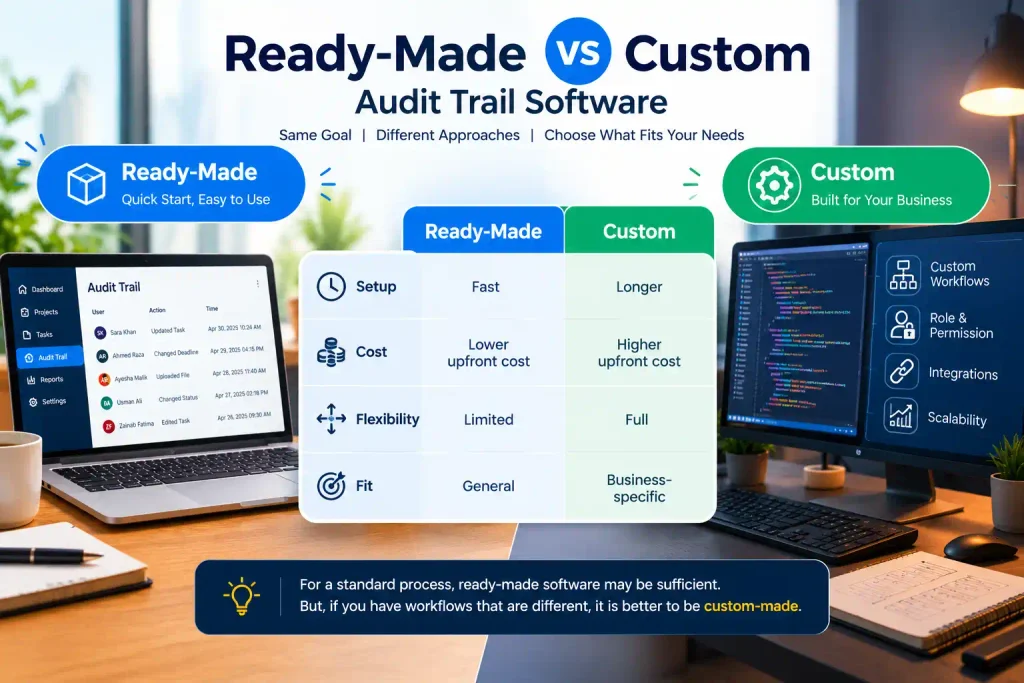
Off-the-shelf software serves a wide range of users and is ready to use. However, custom software follows the precise requirements.
| Ready-Made | Custom | |
|---|---|---|
| Setup | Fast | Longer |
| Cost | Lower upfront cost | Higher upfront cost |
| Flexibility | Limited | Full |
| Fit | General | Business-specific |
For a standard process, ready-made software may be sufficient. But, if you have workflows that are different, it is better to be custom-made.
Why Choose a Custom Build?
In short, custom software is flexible. For example, you can get:
- Business-specific workflows
- Custom roles & permission
- Customise audit logs to suit your needs
- Integrations with your existing systems
- Scalability to support growth
- Create custom reports and dashboards.
How to Select the Best Project Management Software with Audit Trail
So, here are 9 things to consider before purchasing:
- Security – encryption and protected logs
- User permissions: role based control
- Audit logs – depth and detail
- Reporting: Summarise clearly and in an exportable way
- Aiming to be scalable: space for expansion
- Integrations: integration with your tools
- Ease of use: your team will actually use it;
- Flexibility in your workflow, with customization.
- Embrace and support: assistance when required
In addition, this government publication provides background on audit practice.
Moreover, our software development company can offer you many benefits.
That is why we at TechX Agency develop software that works for you. So, whether you’re looking for an off-the-shelf or a full custom piece, we’ll steer you through it.
For example, we can help with:
- The development of bespoke project management software.
- Also, user activity tracking and built-in audit trail feature.
- Additionally, access to custom dashboards and reports.
- Third-party integrations
- Business-specific workflows
- The continuous care and maintenance
Conclusion
To sum up, with audit trail project management software, there is no denying the history, the security is more robust, and there is more visibility. Basically, it’s a way of transforming “I think” into “I know.”
So, ready to get started? Then talk to TechX Agency about off-the-shelf or tailored software options for your business.
FAQs
So, what exactly is audit trail project management software?
In short, it’s project software that keeps an eye on the user actions, changes and time-stamps automatically.
Why do businesses need an audit trail in project management software?
In simple terms, it offers greater accountability, transparency and quick error-tracing.
Can it be customized for my business?
Yes. In fact, custom builds can reflect your workflows, roles and logs.
What information does an audit trail record?
Basically, it maintains the user, action, date, time and the old and new values.
What can an audit trail do to enhance project accountability?
As a result, ownership is always clear because every action links back to one person.
Will audit trail software work for small businesses?
Absolutely. It manages records efficiently and also grows with you.
Will it fit into the current business tools?
Yes. In fact, most solutions, particularly custom ones, will integrate with existing tools.
What is the custom Audit trail project management software cost?
It is dependent on features, integrations and project size. Therefore, an instant consultation will provide you an accurate quote.